What is an ATS and Why It Matters
An Applicant Tracking System (ATS) is software that companies use to manage their hiring process. Think of it as a digital gatekeeper that scans, sorts, and ranks resumes before a human ever sees them.
Here's the problem: 98% of Fortune 500 companies use ATS, and these systems automatically reject 75% of resumes for failing basic optimization criteria—even if the candidate is perfectly qualified.
Key Insight
Your resume isn't competing against other candidates—it's competing against an algorithm. If you don't optimize for ATS, you won't even get the chance to impress a hiring manager.
Quick Checklist: 7 ATS Rules
Step 1: Choose the Right Template
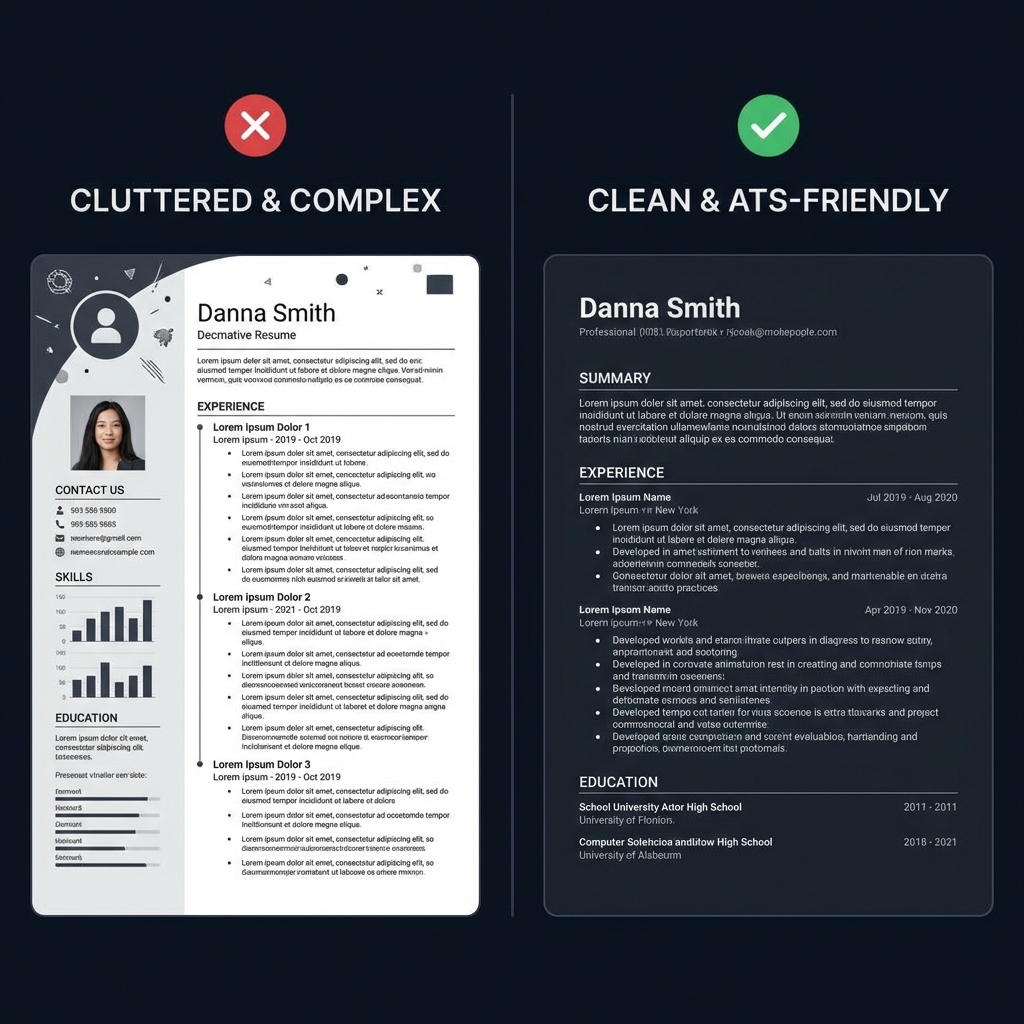
Not all resume templates are ATS-compatible. Avoid templates with graphics, columns, or creative layouts. Instead, choose a clean, single-column design.
Which Template to Pick For:
Software Engineers / Tech Roles
Use our Classic Professional (ATS) or Compact Professional templates. Focus on technical skills section and quantified achievements.
Freshers / Entry-Level
Choose Minimalist or Classic templates. Emphasize education, projects, and internships over limited work experience.
Managers / Executives
Our Executive or Professional templates work best. Highlight leadership achievements and strategic impact.
Step 2: Use Keyword Matching
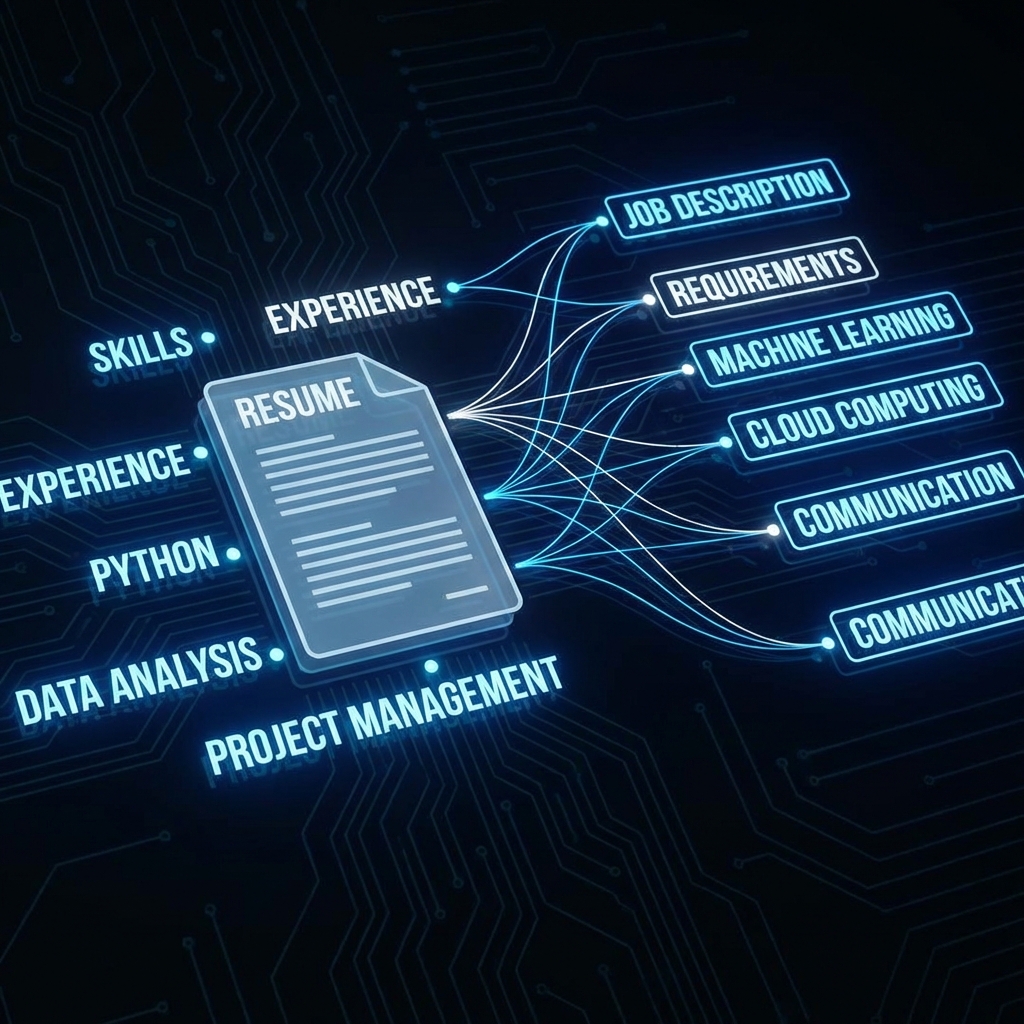
ATS systems scan your resume for specific keywords that match the job description. Missing these keywords = automatic rejection.
How to Find the Right Keywords:
Read the job description carefully. Highlight required skills, qualifications, and tools mentioned.
Categorize keywords: Hard skills (Python, Excel), soft skills (leadership, communication), and certifications (PMP, AWS).
Mirror the language. If they say "Project Management," don't write "Managed Projects"—use their exact phrasing.
Integrate naturally. Don't just list keywords—weave them into your experience descriptions and achievements.
Example: Software Engineer Resume
"Built applications and worked with databases. Collaborated with team members on various projects."
"Developed full-stack web applications using React.js, Node.js, and MongoDB. Implemented RESTful APIs and CI/CD pipelines using Docker and Jenkins."
Step 3: Formatting Rules
Even with perfect keywords, bad formatting will get your resume rejected. Follow these strict rules:
Use Standard Fonts
Stick to: Arial, Calibri, Times New Roman, Helvetica, or Georgia
Font size: 10-12pt for body text, 14-16pt for headings
Section Headings Must Be Standard
Use these exact headings (ATS looks for these):
- Summary or Professional Summary
- Experience or Work Experience
- Education
- Skills or Technical Skills
- Certifications (if applicable)
File Format: PDF vs DOCX
Always submit PDF unless the job posting specifically requests DOCX.
Modern ATS systems (2024+) parse PDFs perfectly, and PDFs preserve your formatting across all devices.
What to Avoid
- ✗Tables, text boxes, or multiple columns
- ✗Images, photos (except in specific creative fields), or graphics
- ✗Headers and footers for critical information (ATS often can't read them)
- ✗Special characters or symbols (★, →, •)
- ✗Creative section names like "Where I've Been" instead of "Experience"
Step 4: Optimize Your Experience and Accomplishments
Don't just list responsibilities—showcase quantified achievements using action verbs.
Formula: Action Verb + Task + Result
[Action Verb] + [What you did] + [Measurable result]
Example: "Developed automated testing framework that reduced QA time by 40% and increased deployment frequency from weekly to daily."
Powerful Action Verbs by Category:
Leadership
Spearheaded, Directed, Orchestrated, Championed, Mentored
Technical
Engineered, Developed, Architected, Implemented, Optimized
Results
Increased, Reduced, Accelerated, Generated, Enhanced
Before & After Examples:
"Responsible for managing social media accounts and creating content."
"Spearheaded social media strategy across Instagram, LinkedIn, and Twitter, increasing engagement by 250% and generating 1,500+ qualified leads through targeted content campaigns in 6 months."
Download: Free ATS-Friendly Resume Example
See everything in action with our professionally crafted ATS-optimized resume example. Download it for free or open it directly in our builder to customize it for your needs.
How to Test Your Resume
Before submitting, always test your resume to ensure it's ATS-compatible. Our free tool analyzes your resume just like real ATS systems do.
Frequently Asked Questions
What is an ATS and why does it matter?
An ATS (Applicant Tracking System) is software used by 98% of Fortune 500 companies to filter resumes before they reach human recruiters. It scans your resume for keywords, formatting, and relevance, rejecting 75% of applications automatically. Understanding ATS is crucial because even the most qualified candidate can be rejected if their resume isn't ATS-optimized.
Should I submit my resume as PDF or DOCX?
Modern ATS systems (2024+) handle PDF files well, especially if they're text-based (not scanned images). PDF preserves your formatting across all devices. However, if a job posting specifically requests DOCX, always follow that instruction. Our resume builder exports both formats to give you flexibility.
How many keywords should I include in my resume?
Focus on quality over quantity. Include 15-25 relevant keywords naturally distributed throughout your resume. These should match the job description's requirements, skills, and qualifications. Avoid keyword stuffing—ATS systems are sophisticated enough to detect and penalize this.
Can I use tables or columns in an ATS-friendly resume?
Avoid complex tables and multiple columns. Most ATS systems struggle to parse these correctly, often reading content out of order or missing information entirely. Stick to single-column layouts with clear section headers for maximum compatibility.
How can I test if my resume is ATS-friendly?
Use our free ATS Resume Checker. It analyzes your resume using the same technology as real ATS systems, providing a compatibility score and specific recommendations for improvement.
Final Checklist Before Submitting
Ready to Build Your ATS-Friendly Resume?
Use our free builder with ATS-optimized templates. No sign-up required. Download as PDF in minutes.
100% Free • No Credit Card • Instant Download